LEARNING · INTERACTABUILD TEMPLATE
Constellation Connect: learn by hitting the stars in order
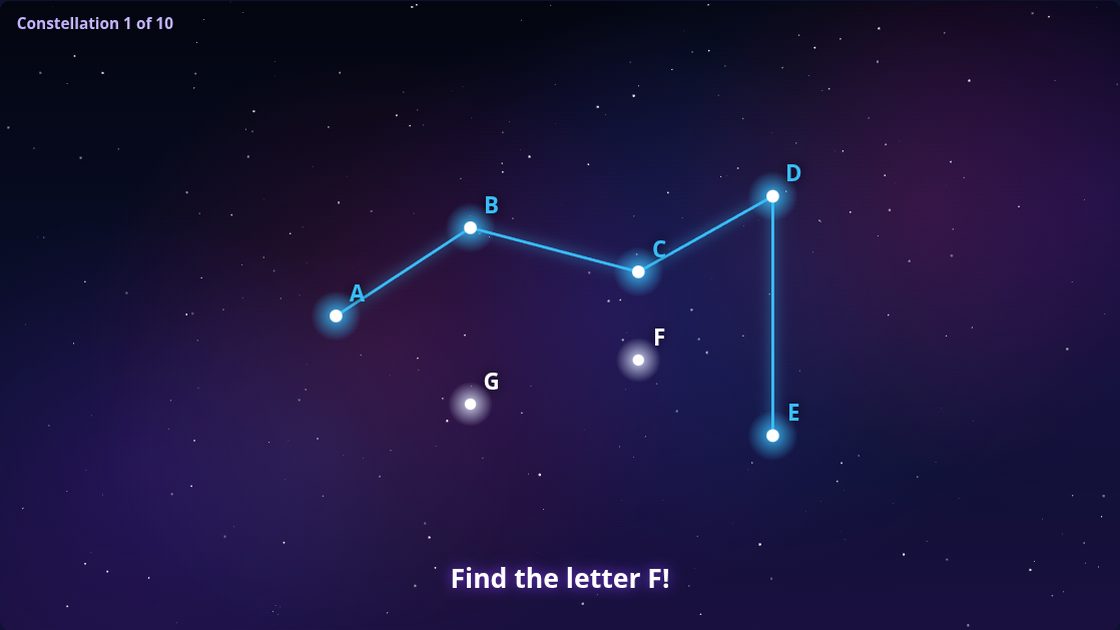
Hit the stars in the right order to draw a constellation, and watch it come alive. The stars can show numbers, letters or sums, so the same game practises counting, the alphabet and early maths.
How to play
- Each star shows a number, a letter or the answer to a sum.
- Players hit the stars in order; a glow helps if someone gets stuck.
- When the last star is hit, the constellation comes alive.
What you can change
- Counting, the alphabet, little letters, skip counting (2s, 5s or 10s) and sums up to 10 or 20, or just for fun
- Stars in order or shuffled
- Star size: small for accurate throwers, large for young children
- Hints that name the next star or make players think, always, after a mistake, or never
Where it works best
Primary schools, nurseries, early years settings and libraries. See how Interactabuild suits schools and nurseries, sensory rooms and soft play centres.
What you need
A Windows 11 or Ubuntu computer, a projector and an Orbbec Astra 2 depth camera, plus soft balls in red, green or blue. Without a camera, Constellation Connect also works with a mouse or a touchscreen. See the full hardware requirements or read the setup guide.
GOOD TO KNOW
Constellation Connect: questions
What ages is Constellation Connect for?
Counting and the alphabet suit ages 3 and up; skip counting and sums suit older children. Large stars make it easier for young children.
Can it be played with a mouse on a classroom screen?
Yes. Every template works with a mouse or a touchscreen as well as with balls and the camera.
Does it use real constellations?
It includes original shapes, such as a fish, a rocket and a house, as well as real constellations.
More templates
ACTION
Ball to Wall
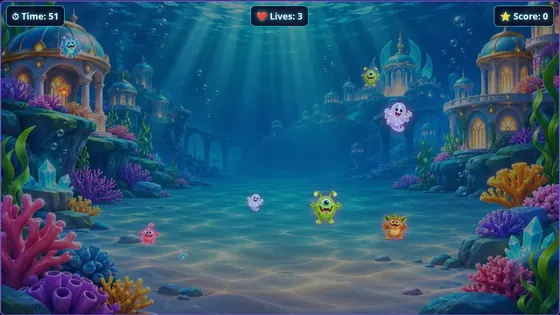
Monsters charge across the wall and players throw soft balls to knock them out before the time runs out.
About Ball to Wall
GET STARTED
Play Constellation Connect on your wall
Interactabuild comes with every template, ready to customise. Check what equipment you need, then get the download.