LAUNCHING 7 DECEMBER 2026

Turn any wall into a game.

Interactabuild turns a projector and a camera into interactive games that react when someone throws a ball or touches the wall. Seven ready-made games, your own pictures, and everything runs on your own computer.

Windows 11 · 64-bit · 120 MB · Also for Ubuntu Linux

7 ready-made games Your own pictures Runs on your own PC
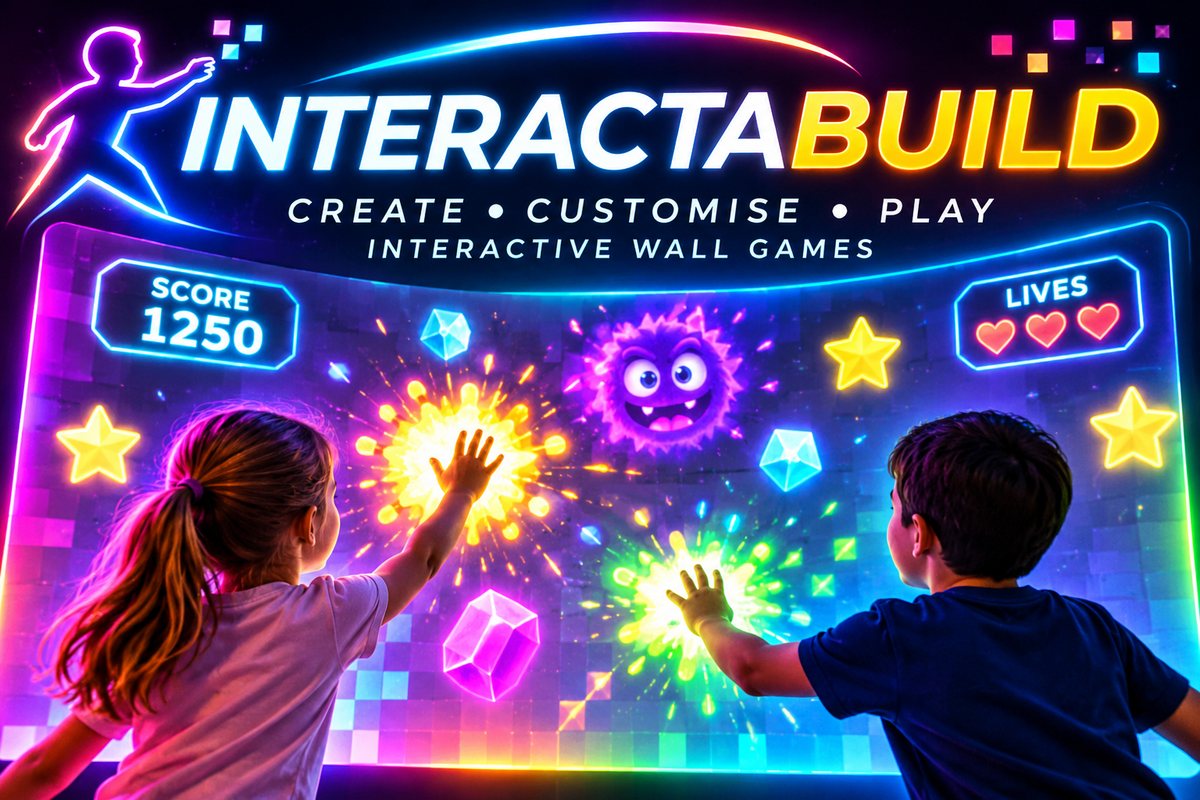
Two children hitting glowing targets on an Interactabuild wall game
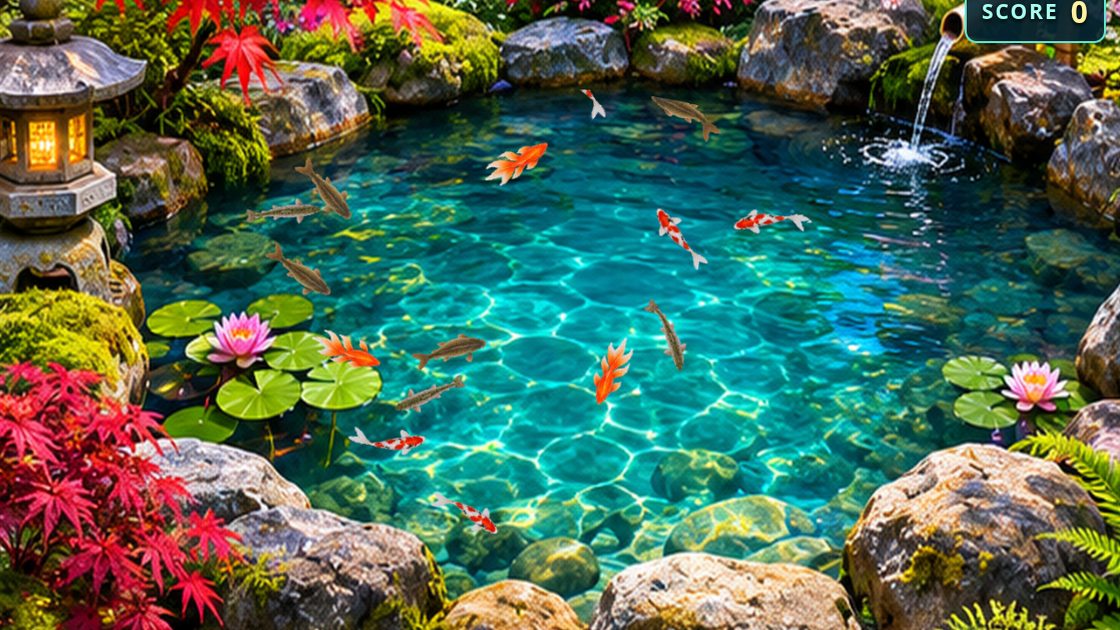
Projection Pond Pro: koi and goldfish swimming in a projected pond
Projection Pond Pro
7 READY-MADE GAMES✳YOUR OWN PICTURES✳BALL, TOUCH OR MOUSE✳WINDOWS & UBUNTU

01 / THE GAMES

Seven games. Ready to play.

Every game comes with Interactabuild. These are real screenshots from the program. Change each one to suit your space, then play.

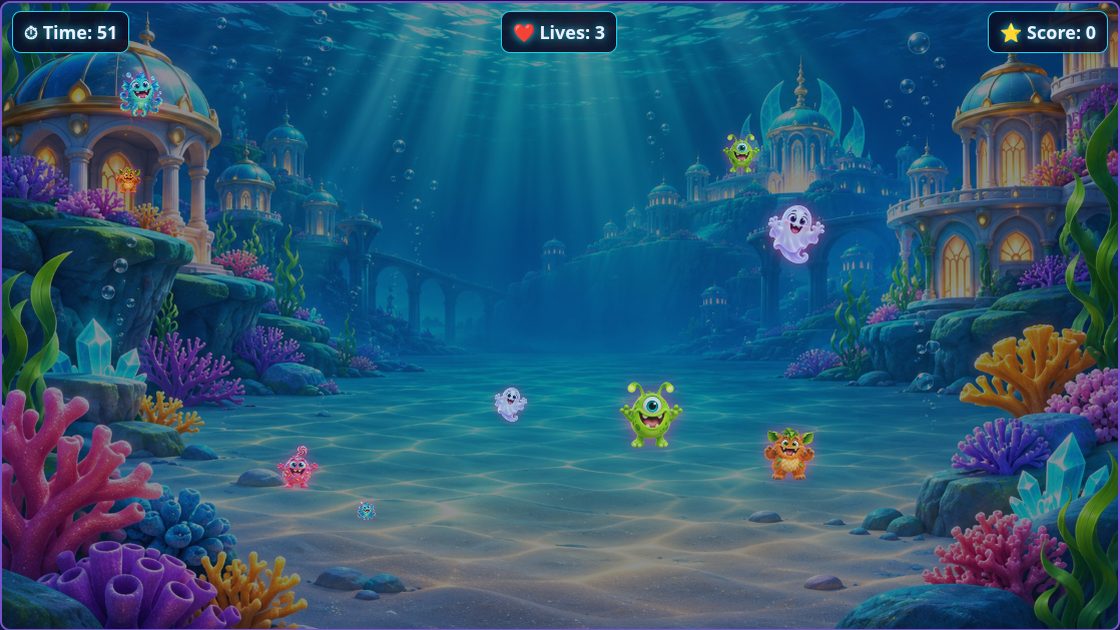
Ball to Wall: monsters in an underwater city
ACTION

Ball to Wall

Throw a ball at the monsters on the wall before time runs out. Pick a world (space station, haunted castle, jungle temple, underwater city or candy land) and up to five monsters, or use your own pictures.

Projection Pond Pro: fish swimming in a Japanese koi pond
CALM & PLAY

Projection Pond Pro

A living pond for the floor or wall. Koi, goldfish, trout, perch, carp and catfish swim and turn like the real thing, frogs kick, newts walk and diving beetles row. Hit a fish to score.

Ocean Explorer: a sunlit coral reef
EXPLORE

Ocean Explorer

An underwater world of coral reef, lagoon, kelp forest, shipwreck and deep ocean. Touch the water to make ripples and bubbles, and find the hidden creatures.

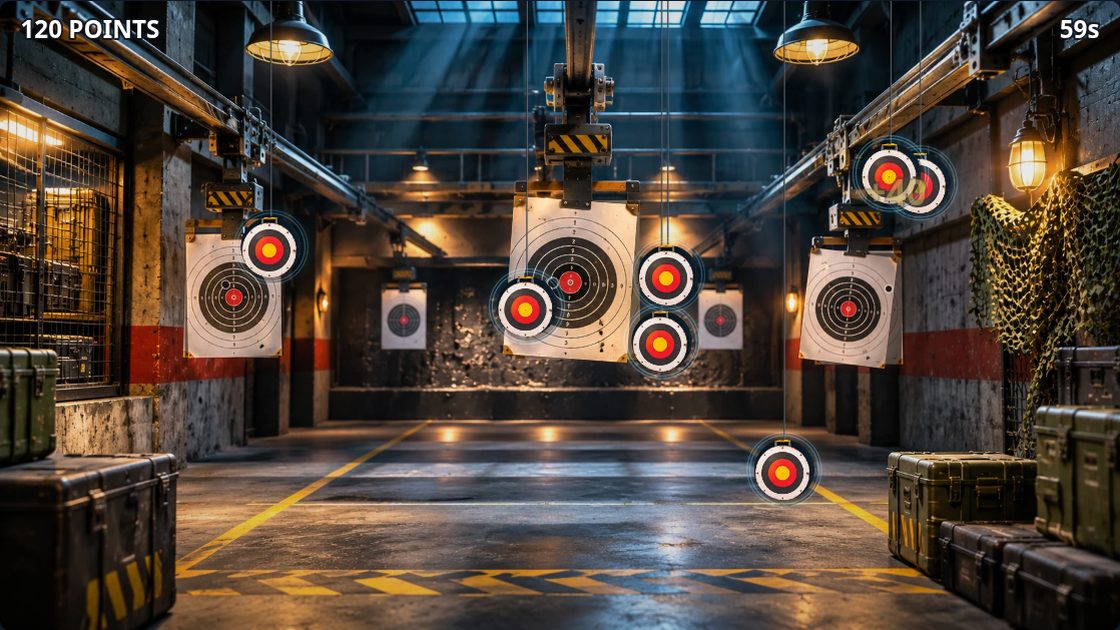
Ultimate Shooting Range: targets in a warehouse range
CHALLENGE

Ultimate Shooting Range

Target practice, Drone invasion and Duelling tree, across five ranges from a warehouse to a neon arcade. Play solo or in teams, with scores and difficulty levels.

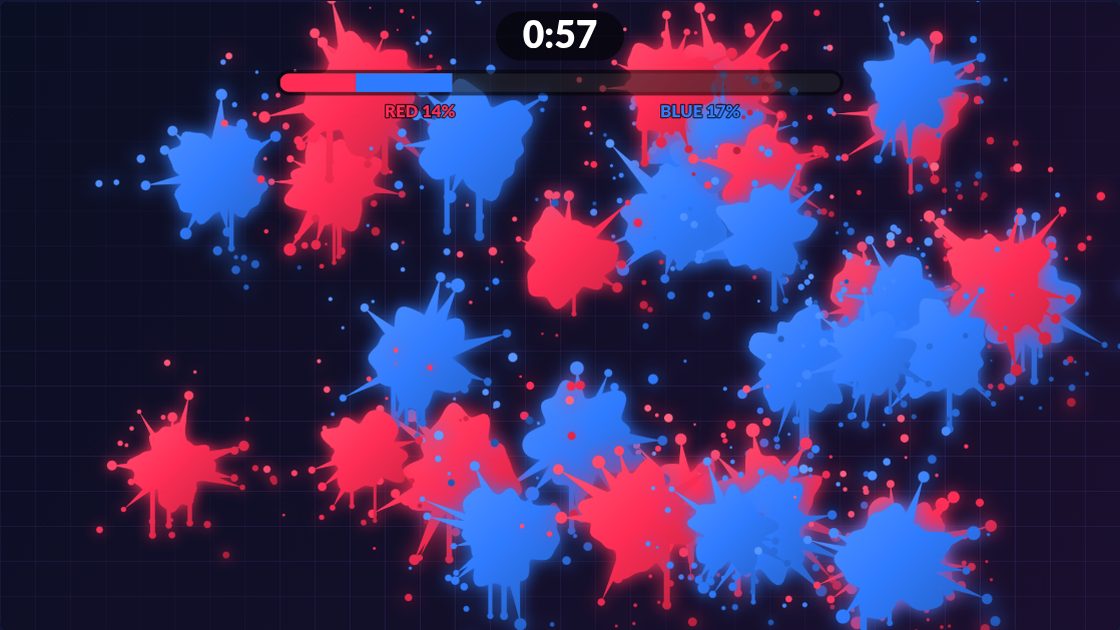
Paint Splat Wall: red and blue paint splats covering the wall
TEAMS

Paint Splat Wall

Every hit leaves a splat in your team's colour. Red against blue: the team covering the most wall when the timer ends wins. Or switch to free paint and just make a mess.

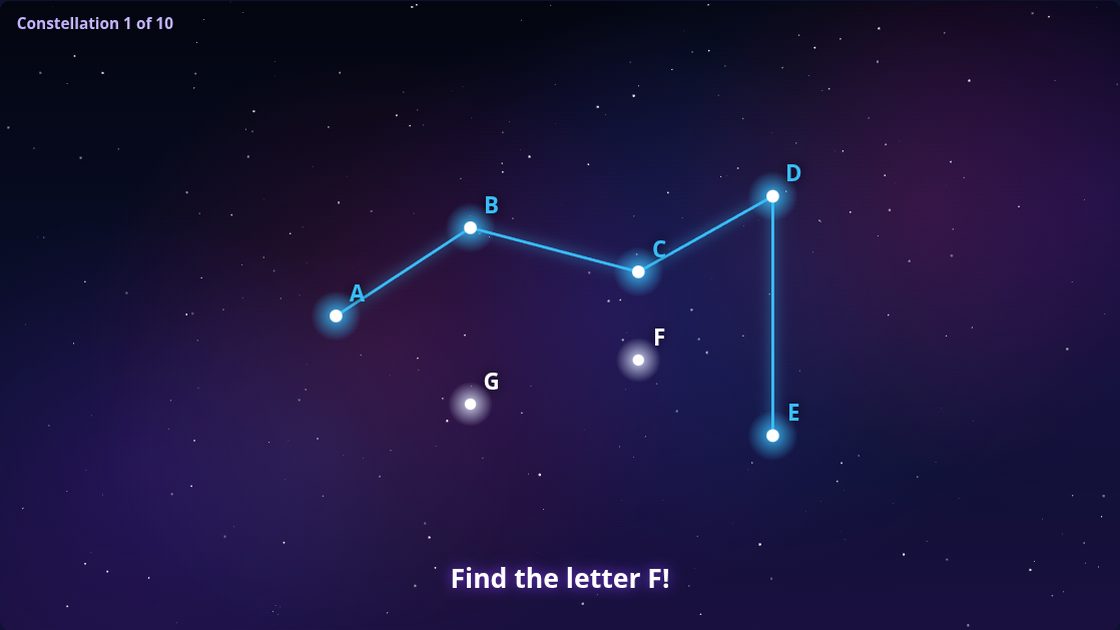
Constellation Connect: stars labelled A to G being joined in order
LEARNING

Constellation Connect

Hit the stars in order to draw a constellation. Learning modes for counting, the alphabet, little letters, skip counting and sums, for ages 3 and up.

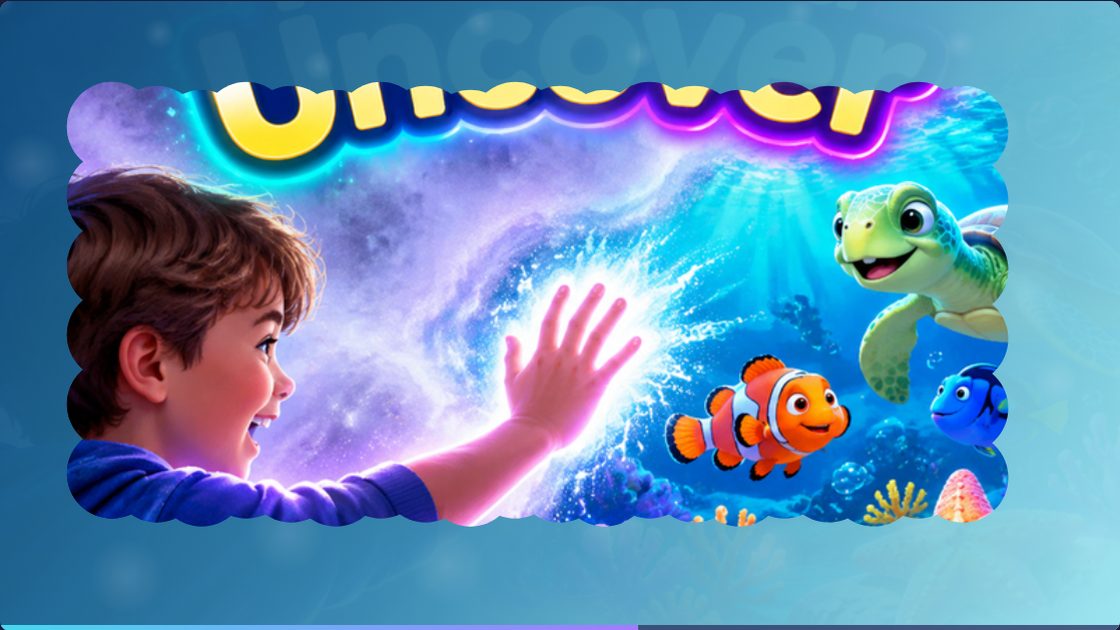
Touch and Uncover: a hidden picture revealed through the mist
REVEAL

Touch and Uncover

Brush away a magical mist to reveal the picture underneath. Choose any picture you like, from a photo of your venue to a party theme.

ALL SEVEN INCLUDED Get every game in one download. Download for Windows
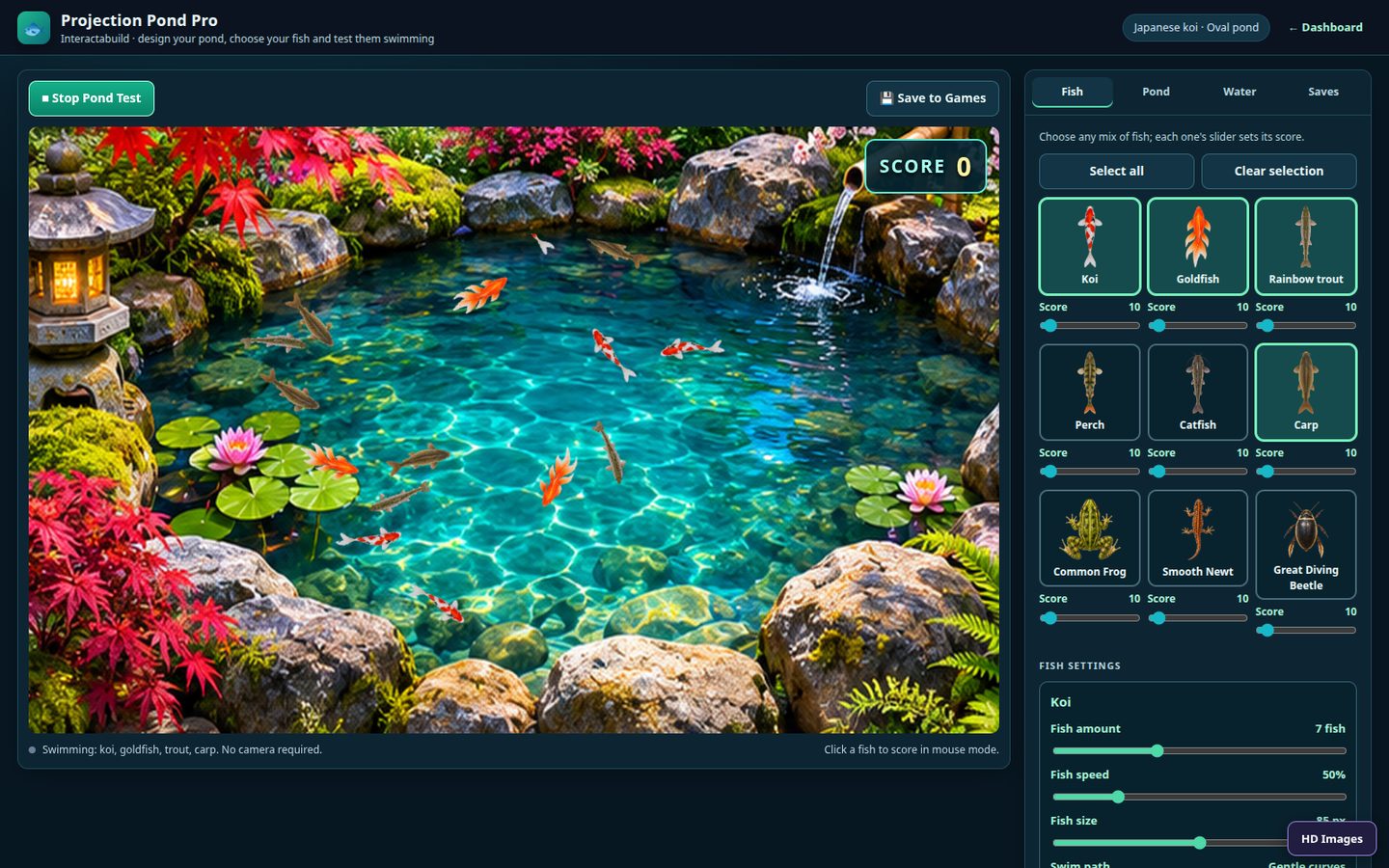
The Interactabuild editor for Projection Pond Pro, with the pond on the left and settings on the right

02 / MAKE IT YOURS

Your games, your way.

Every game opens in a simple editor. Watch the game on the left while you change it on the right. No coding, no design skills.

  • Change the look. Backgrounds, pond shapes, fish, monsters, colours and sounds.
  • Use your own pictures. Upload your logo, a party theme or photos of your venue.
  • Save your games. Keep as many versions as you like and open them again with one click.
  • Projector view. The game fills the projector while you control it from your screen.
  • Set up with a mouse. Build and test every game before the camera is even plugged in.

03 / TRY IT NOW

Have a go. Right here.

Four mini versions of the games to play with your mouse or finger. The real games run full size on your wall, and react to a ball or a touch.

BROWSER PREVIEWMOUSE OR TOUCH · NO CAMERA NEEDED
Your browser needs HTML5 Canvas to show the preview.
BALL TO WALLSCORE 000
HIT THE MONSTERS BEFORE THEY REACH YOU
Ready, aim, play.

Click or tap the monsters as they come towards you. Each hit scores 10 points.

Simplified previews made for this website. The full games have more to them, and run on your wall.

Like it? Get the full program

04 / HOW IT WORKS

Up and running in four steps.

One download. No extra software to find, and no technical setup.

01

Download and install

Run the installer. Interactabuild adds itself to your Start menu and desktop, and opens in its own window.

02

Connect projector and camera

Plug in your projector and the Orbbec Astra 2 camera, and point both at your wall or floor.

03

Line it up once

Mark the four corners of the play area. Interactabuild remembers it, so you only do this again if you move things.

04

Pick a game and play

Choose a game, make it yours and press play. From then on, Interactabuild starts by itself when you sign in to the computer.

05 / DOWNLOAD

Get Interactabuild.

Interactabuild launches on 7 December 2026. The download buttons switch on that day. Get an email when it's ready.

Windows

Interactabuild for Windows

Windows 11 · 64-bit · 120 MB · version 0.1.0

Download for Windows
  1. Open the downloaded file, Interactabuild-Setup-0.1.0.exe.
  2. If Windows says “Windows protected your PC”, click More info, then Run anyway. Windows shows this for new programs.
  3. Follow the installer. Interactabuild opens when it finishes.
Ubuntu Linux

Interactabuild for Ubuntu

Ubuntu 22.04, 24.04 or 26.04 · 64-bit · 127 MB

Download for Ubuntu
  1. Open the downloaded .deb file with App Center, or in a terminal run:sudo apt install ./interactabuild_0.1.0_amd64.deb
  2. Find Interactabuild in your applications. It also starts by itself when you log in.

Not available for Mac. Check what you need before you download.

06 / WHAT YOU NEED

The kit list.

Interactabuild runs on an ordinary computer. To try it and set up your games, that's all you need.

Computer
Windows 11 (64-bit), or Ubuntu 22.04, 24.04 or 26.04. A graphics card gives the smoothest animation.
Space
About 250 MB on Windows, 350 MB on Ubuntu.
Projector
Any projector you can connect to the computer, for example by HDMI.
Camera
An Orbbec Astra 2 depth camera, so the games can see balls and touches on the wall.
No camera yet?
Every game also works with a mouse or a touchscreen, so you can build and test before you buy one.
Internet
Only to download. Everything runs on your own computer.

07 / MADE FOR MEMORABLE MOMENTS

Bring the wow factor to your space.

From one activity wall to a whole play area, Interactabuild gets people moving, laughing and coming back for another go.

Download for Windows
✳Family entertainment centres
✳Soft play and play centres
✳Schools, nurseries and sensory rooms
✳Parties, events and attractions
✳Your own home

08 / GOOD TO KNOW

Questions? Answers.

Can't find what you need? Send us a message.

What is Interactabuild?

A program for your computer that turns a projected wall or floor into interactive games. A camera watches the wall, so the games react when someone throws a ball at it or touches it. It comes with seven ready-made games that you can change and save.

What do I need to get started?

A Windows 11 or Ubuntu computer, a projector, and an Orbbec Astra 2 camera for ball and touch play. See the full kit list.

Can I try it without a camera?

Yes. Every game works with a mouse or a touchscreen, so you can download Interactabuild, build your games and test them before you buy the camera.

Can I use my own pictures?

Yes. Upload your own backgrounds and monsters for Ball to Wall, your own hidden pictures for Touch and Uncover, and more. Your pictures stay on your computer.

Does it work on a Mac?

Not at the moment. Interactabuild is for Windows 11 and Ubuntu Linux.

Does it need the internet?

Only to download it. Interactabuild and your games run entirely on your own computer.

Why does Windows warn me when I install it?

Windows shows “Windows protected your PC” for programs it hasn't seen many times before. Click More info, then Run anyway. Only download Interactabuild from this website.

When can I download it?

Interactabuild launches on 7 December 2026. Leave your email and we'll tell you the moment it's ready.

STAY IN THE LOOP

Be first to play.

Leave your details and we'll email you when Interactabuild is ready to download. Got a question about your space? Ask it here too.

LAUNCHING 7 DECEMBER 2026

Get launch news

We'll only use your email to contact you about Interactabuild.

This website doesn't store your details.