LEARNING
Constellation Connect
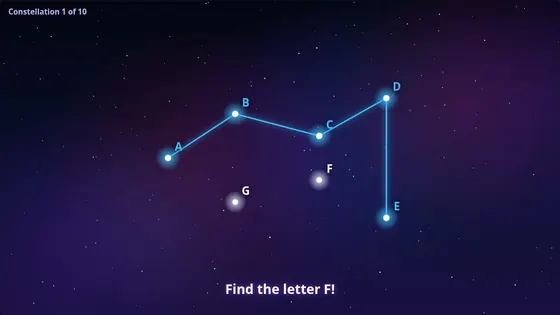
Hit the stars in the right order to draw a constellation, and watch it come alive.
About Constellation ConnectSCHOOLS AND NURSERIES
Interactive projection gets children up and moving while they learn and play. Interactabuild turns a school projector, a computer and a depth camera into an interactive wall for the classroom, the hall or the playground room.
Teachers can set up games without coding, use their own pictures, and run everything offline on a school computer.
Constellation Connect asks children to hit stars in order to draw a constellation. The stars can show numbers, letters, little letters, skip counting or answers to sums, so one game covers counting, letter recognition and early maths, for ages 3 and up.
Touch and Uncover hides any picture you choose under a mist: a great way to reveal the next topic, a famous painting or a mystery animal.
Paint Splat Wall splits the class into two or three teams, each throwing its own colour of ball, racing to cover the wall in paint. Ball to Wall and Ultimate Shooting Range practise throwing and aiming with scores and difficulty levels. All are played with soft foam balls.
Hit the stars in the right order to draw a constellation, and watch it come alive.
About Constellation Connect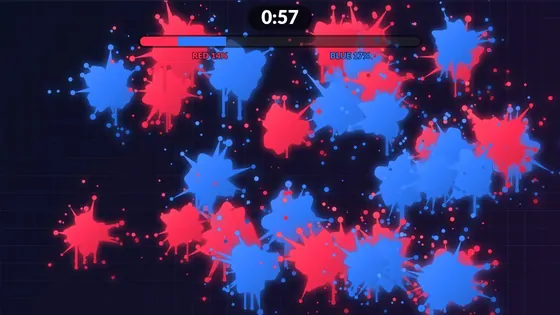
Every hit leaves a splat of paint in your team's colour.
About Paint Splat Wall
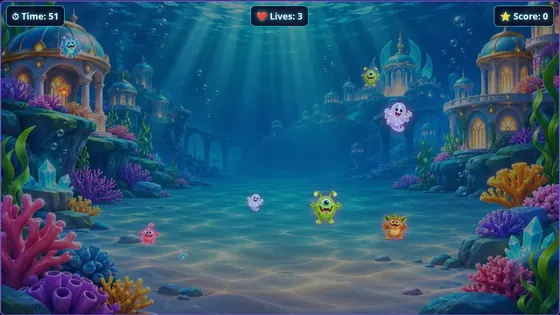
Monsters charge across the wall and players throw soft balls to knock them out before the time runs out.
About Ball to WallGOOD TO KNOW
An ordinary Windows 11 or Ubuntu computer works. A graphics card gives the smoothest animation.
Yes. Any projector you can connect to the computer, for example by HDMI, will work.
No. Interactabuild runs on your own computer, needs no account, and keeps your games and pictures on that computer.
The learning modes in Constellation Connect start at age 3; the team and target games suit primary and secondary pupils, with easier and harder settings.
Play simplified versions of four templates in your browser, check what equipment you need, then get Interactabuild.